Showing posts with label Benz M6. Show all posts

Sunday, December 26, 2021

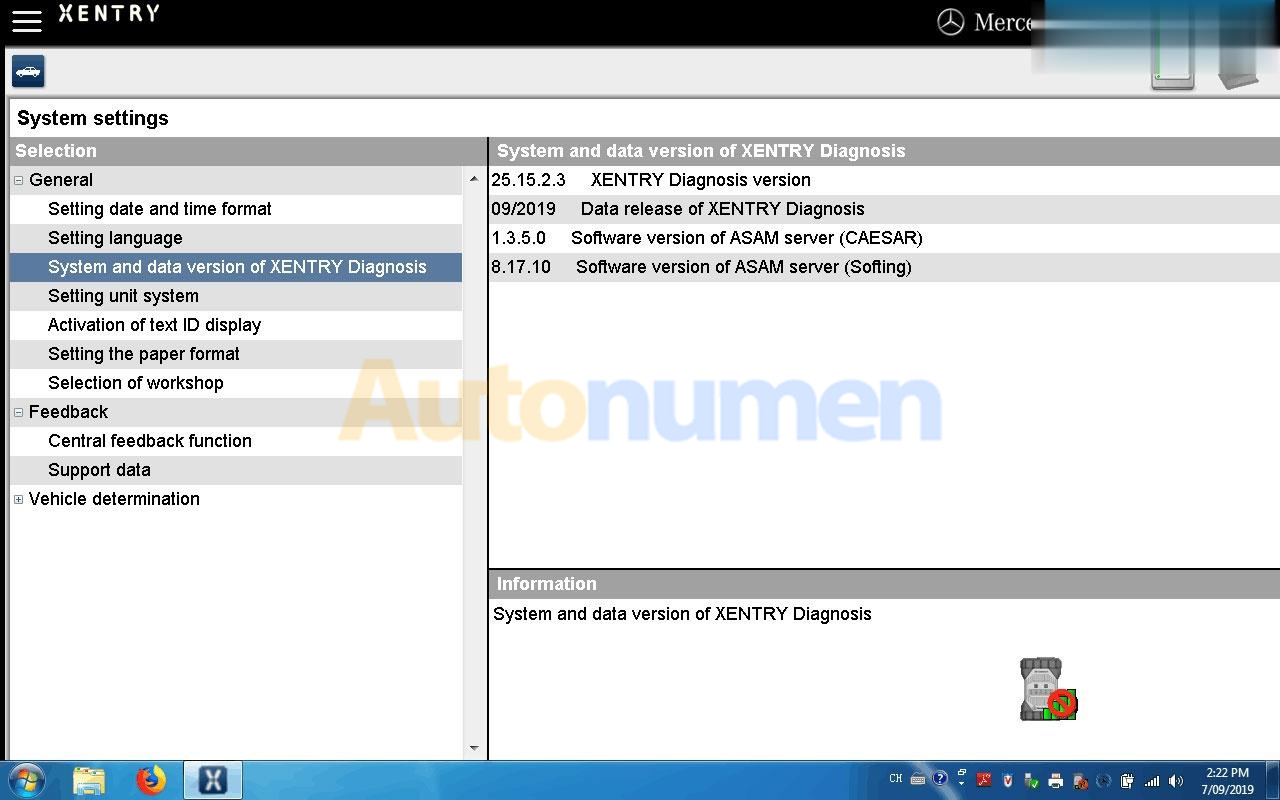
VXDIAG Benz C6 Software Update to V2019.09


Latest Benz diagnostic software Xentry 2019.09 has been tested and verified working great with VXDIAG Benz C6 and VCX Plus systems by Autonumen.com engineer.

Software version: 2019.09

Requirement: update your C6 VCI DoIP or VCX  to latest firmware version. Check here.

Software including:

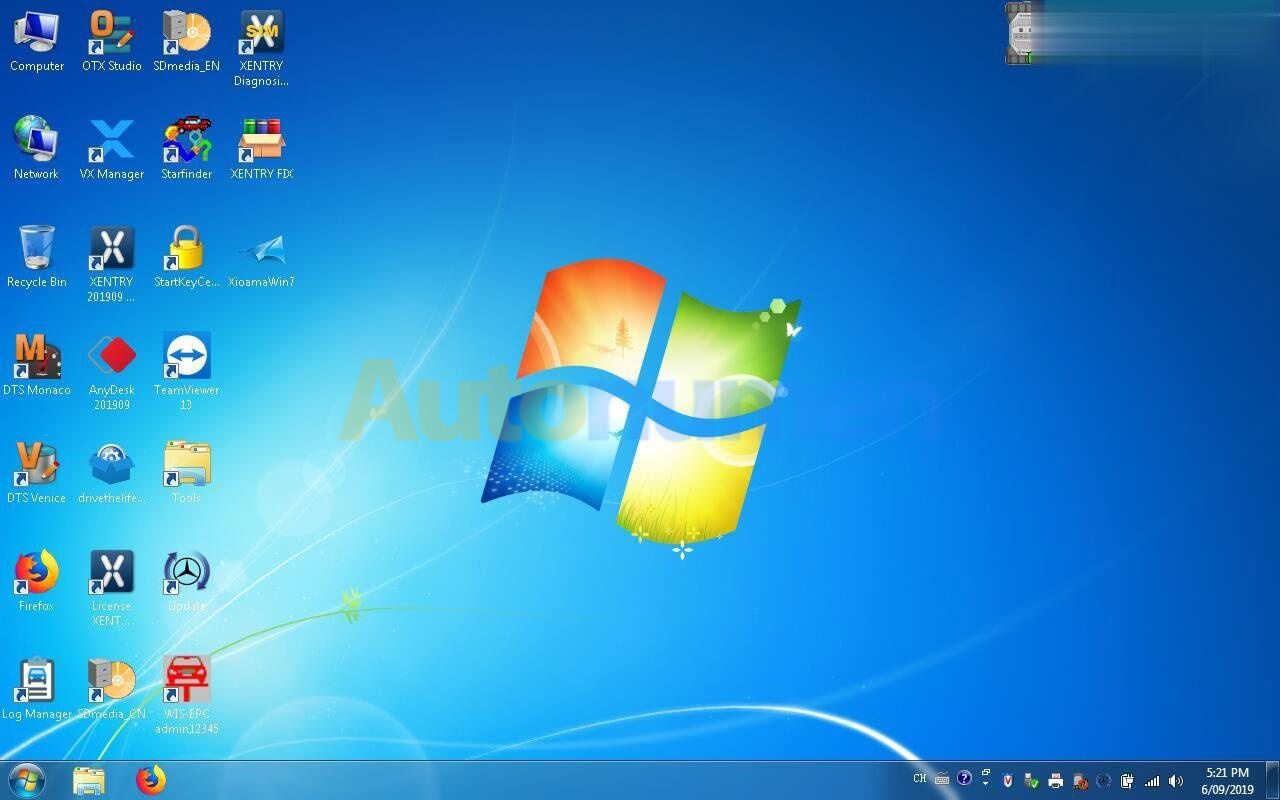
Xentry/DAS 2019.09

WIS

EPC

DTS Monaco

StartFinder

SDMedia

VX Manager

VXDIAG Benz C6 Software Update to V2019.09-1 (2) VXDIAG Benz C6 Software Update to V2019.09-2 (2)

Compatible device: VXDIAG Benz C6 DoIP and VCX PLUS for Benz

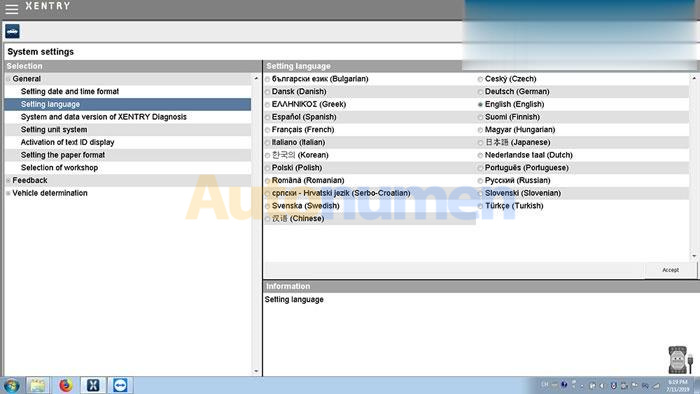
Xentry language list:

VXDIAG Benz C6 Software Update to V2019.09-3 (2)

Update method:

1.Buy a new HDD/SSD

2. Send back old HDD/SSD to update. Freight is on your own account

Saturday, December 25, 2021

Mercedes BEZN C6 OEM DOIP Xentry Diagnosis VCI Multiplexer with V2018.12 Software HDD No Need Activation


Mercedes BEZN C6 OEM DOIP Xentry Diagnosis VCI Multiplexer with V2018.7 Software HDD

Mercedes Benz C6 OEM Xentry diagnosis VCI DOIP Pass thur interfac is the latest interface for For Mercedes & SMART vehicles can replace Star C4/C5. XENTRY Diagnosis VCI acts as a Pass-through Interface, also called MB Star C6, For Benz C6 multiplexer to provide complete communication between a vehicle and the XENTRY software loaded on a PC.


Mercedes Benz Xentry diagnosis VCI DOIP Pass thur interface Benz C6 Overview:

Compatible Software: VXDIAG For XENTRY/Das Software
Support Vehicle: Mercede For Benz & Smart vehicles
DoIP: Support DoIP
Functions: Star Diagnostic & programming (SCN Coding)
 
Mercedes Benz Xentry diagnosis VCI DOIP Pass thur interface C6  Features:

Can be used for all model series of For Mercedes For Benz vehicles
Support DoIP, cover more functions during SCN Coding than SD C4/C5
Functions including diagnosing, programming, simulation studying, repair information, automotive maintenance, technical service bulletin and so on
Diagnosis updates no longer necessary – firmware updates required on rare occasions
Does not need a power supply unit for external power supply
Dandy multiplexer with a small, sturdy construction (no PC core, battery, fan, or display)
Engines (All Gasoline & Diesel Systems)
Transmissions and Electronic Selector Modules
Airmatic and Active Body Control Suspension Systems
Traction Systems: ESP / ASR / ETS / ABS / BAS / SBC braking systems
Supplementary Restraint Systems (SRS) / Airbag, All body modules OCP / UCP / LCP / SCM / SKF / KFB / RCM / DCM’s
Drive Authorisation System
Sam (Signal Acquisition) Modules
Electronic Ignition System (EIS)
Pneumatic System Equipment and ATA functions
Air Conditioning / climate control Systems
Instrument Cluster
Tyre Pressure Control
Parktronic System
Keyless Go
D2b Command & Audio Gateway (D2B and MOST networks)
TV Tuner
Headlamp Range Adjustment
Seat Electronics
Rvc, RST & Vario Roof modules
Automatic Clutch System ACS
M-Class Body Modules (AAM / EAM / DAS / SEM / VG Transfer Case)
Assyst & ASSYST + systems
 
Mercedes Benz Xentry diagnosis VCI DOIP Pass thur interface C6 Summary:

Mercedes Benz Xentry diagnosis VCI DOIP Pass thur interface C6 (Vehicle Communication Interface) multiplexer serves as the interface to the vehicle when performing diagnosis and repairs, and programming electric and electronic on-board vehicle systems.
 
The Mercedes Benz Xentry diagnosis VCI DOIP Pass thur interface C6 does not have its own PC core, battery, fan, or display. It is operated using the VXDIAG For XENTRY Diagnosis Pad via WLAN or a USB cable connection.
 

1. Please install the 500GB HDD on laptop above 4GB Memory and I5 CPU, and use it on one laptop only. If change laptop, software may get broken and need to ship HDD back to us to copy software again.
2. There is keygen in our software HDD, no need activation by us.
3. This Mercedes Benz Xentry diagnosis VCI DOIP Pass thur interface C6 can’t support All Key Lost,needs one key at least.

Go to Buy Mercedes BEZN C6 OEM DOIP Xentry Diagnosis VCI Multiplexer with V2018.7 Software HDD No Need Activation

Friday, December 24, 2021

Super MB Pro M6 Benz W211 E280 4MATIC Quick Test


Super MB Pro M6 can work with the original Benz Dealer diagnostic software to diagnose Mercedes-Benz models, covering 12v car, 24v diesel truck & bus, MPV etc. Here will share a test demo on a Benz W211 E280 4MATIC (Sedan, gasoline engine) quick test on bench using this diagnostic scanner and 2021.03 xentry software.

The procedure:
Connect Super MB Pro M6 wireless Star diagnostic tool to the Benz W211 E280 ECU via the OBD2 16 pin cable
Supply power to the ECU
MB Pro M6 connect benz ecu
Super MB Pro M6 Benz W211 E280 4MATIC Quick Test-1 (2)

Then select the available WiFi to connect manually
Super MB Pro M6 Benz W211 E280 4MATIC Quick Test-2 (2)

Start to run Mercedes- Benz XENTRY Diagnosis software
When it appears DAIMLER interface, just close it and continue.
Select “Mercedes- Benz”-> “Passenger car”-> “E (211)”-> “XENTRY Diagnosis”
Super MB Pro M6 Benz W211 E280 4MATIC Quick Test-3 (2)

Pay attention to the notes and click “F2”
Super MB Pro M6 Benz W211 E280 4MATIC Quick Test-4 (2)

The data will be determined, and DAS will be initialized communication layer.
Select the manufacture date by click the corresponding button
Here click “F4”
Super MB Pro M6 Benz W211 E280 4MATIC Quick Test-5 (2)

Confirm the vehicle info and click “F3”
Super MB Pro M6 Benz W211 E280 4MATIC Quick Test-6 (2)

Select the specific model and click “F3”
Super MB Pro M6 Benz W211 E280 4MATIC Quick Test-7 (2)

Select “Quick test” and click “F3”
Super MB Pro M6 Benz W211 E280 4MATIC Quick Test-8 (2)

If it shows “The ignition status cannot be read out.” Confirm the ignition is ON or OFF
Super MB Pro M6 Benz W211 E280 4MATIC Quick Test-9 (2)

It starts to do quick test
Enter the driven total distance in the corresponding unit (km), and click “F3”
Super MB Pro M6 Benz W211 E280 4MATIC Quick Test-10 (2)

Test Benz W211 E280 successfully
Super MB Pro M6 Benz W211 E280 4MATIC Quick Test-11 (2)

Thursday, September 2, 2021

Xentry diagnosis VCI BENZ C6 DOIP Diagnostic Tool Reviews

One of our customers asked us some questions about
V2020.03 Mercedes Benz Xentry diagnosis VCI BENZ C6 DOIP Multiplexer Diagnostic Tool Plus Lenovo T410 Laptop

Question 1:
Does it support DAS?

Answer:
MB star C6 VCI DOIP Pass thur interface Compatible Software: VXDIAG For XENTRY/Das Software

Question 2:
Even if I buy it with the laptop and it being already installed, can I reinstall it on my other laptop

Answer:

If you purchase a laptop, our engineer will install and activation the software for you before ship out the package to you. The tool is ready to use when reach to you. If you reinstall the HDD to another laptop, all of the software need to activation again. Our engineer can support you via teamviewer, but it will cost times to do the work. As you know, we have time different.

Question 3:

Does it support all latest passenger vehicles?

Answer:
Mb star C6 support DoIP for new models.
When do you need DoIP device?
When test new Benz car such as W222 W205

In Audio\Comand section you can find DoIP test page.
If cable is DoIP you will see green mark that DEVICE is Ok.
Xentry will prompt you that other device must carry yellow marks.

Question 4:
Does it also support Van?

Answer:
Mb star C6 support Van, it can support Mercede For Benz & Smart vehicles.

Monday, August 16, 2021

How to reset VXDIAG Benz C6 VCX firmware


You need to perform a VXDIAG Benz C6 DoIP VCX firmware reset with these scenarios:

1. Failed to update firmware, need to reset VCX.

(Related article: How to update VXDIAG Benz firmware)

2. Device connect well with vehicle and laptop, indicators turn on, VX Manager cannot find the device.
How to reset VXDIAG Benz C6 VCX firmware-1 How to reset VXDIAG Benz C6 VCX firmware-2 How to reset VXDIAG Benz C6 VCX firmware-3

File required:
VXDIAG VCX C6 Firmware Reset File

How to reset VXDIAG Benz C6 VCX firmware?
How to reset VXDIAG Benz C6 VCX firmware-4

Press Reset button on VCX unit
How to reset VXDIAG Benz C6 VCX firmware-5

Connect VCX-DoIP with vehicle via USB to power on
How to reset VXDIAG Benz C6 VCX firmware-6 How to reset VXDIAG Benz C6 VCX firmware-7

Release the reset button after connecting to computer
How to reset VXDIAG Benz C6 VCX firmware-8

After reading the device IP, click on DOIP-NET
How to reset VXDIAG Benz C6 VCX firmware-9

Browse to U-Boot Update for VCXNet v1.1.0
How to reset VXDIAG Benz C6 VCX firmware-10

Select Firmware location to reset: C:Program Files (x86)VCXVCXManToolsVCXDoIPrelease
How to reset VXDIAG Benz C6 VCX firmware-11

Update in progress
How to reset VXDIAG Benz C6 VCX firmware-12

The management tool will find the device IP. The firmware reset is completed.
How to reset VXDIAG Benz C6 VCX firmware-13
Now open the VX Manager. It will detect the VXDIAG C6 Benz VCX-DoIP diagnostic interface.

Device is ready to use.